Photos and operations · 5Sport Control
Know what is happening across 21 km before the radio does
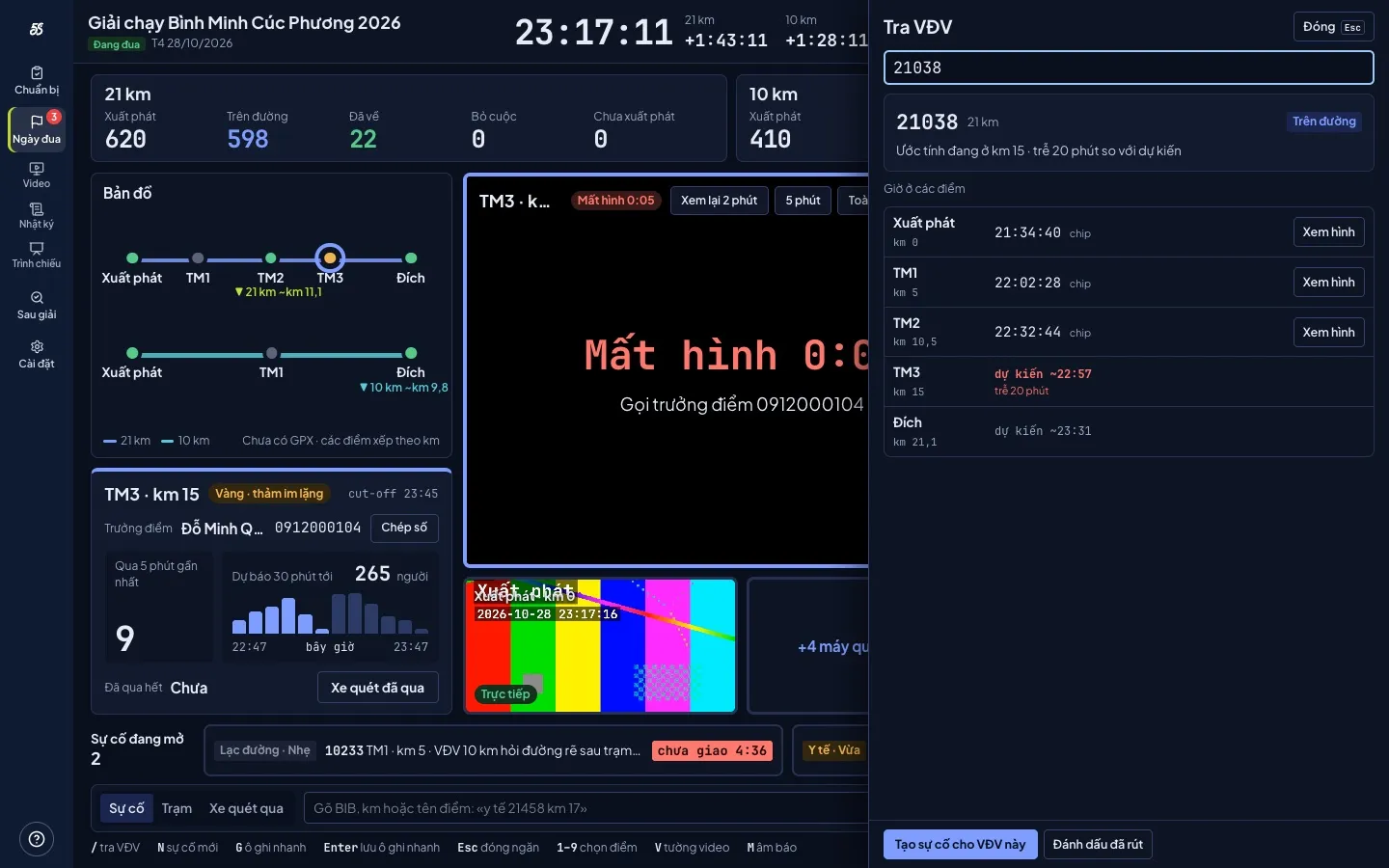
5Sport Control reads every timing mat, takes live video from phones at the checkpoints and gathers incidents on one screen. Where the last runner is, which mat has gone quiet, which checkpoint just called: the operations team sees it, without asking round on the radio.
- Timing mats
- Grouped alerts
- Checkpoint video
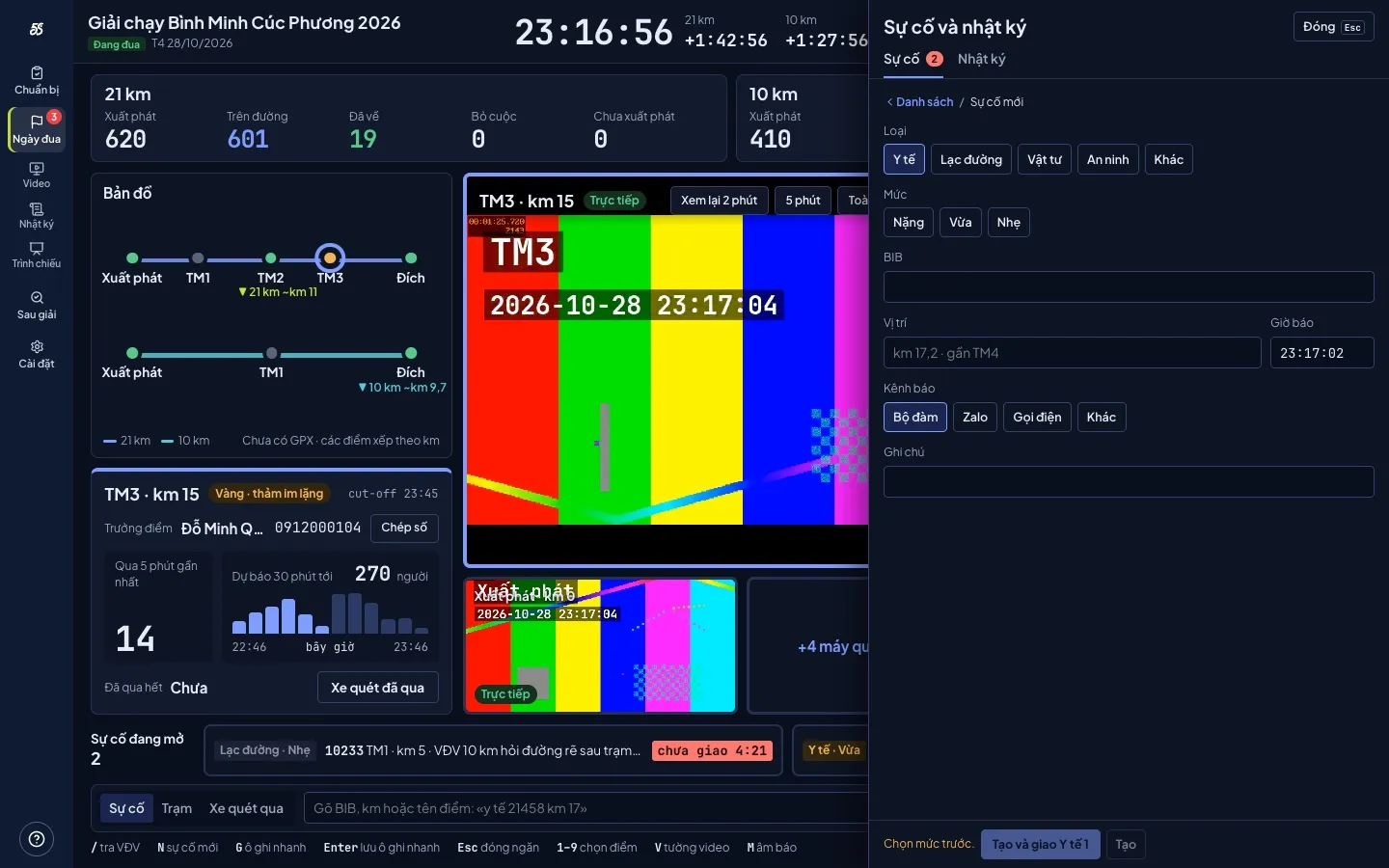
- Incidents
- Log
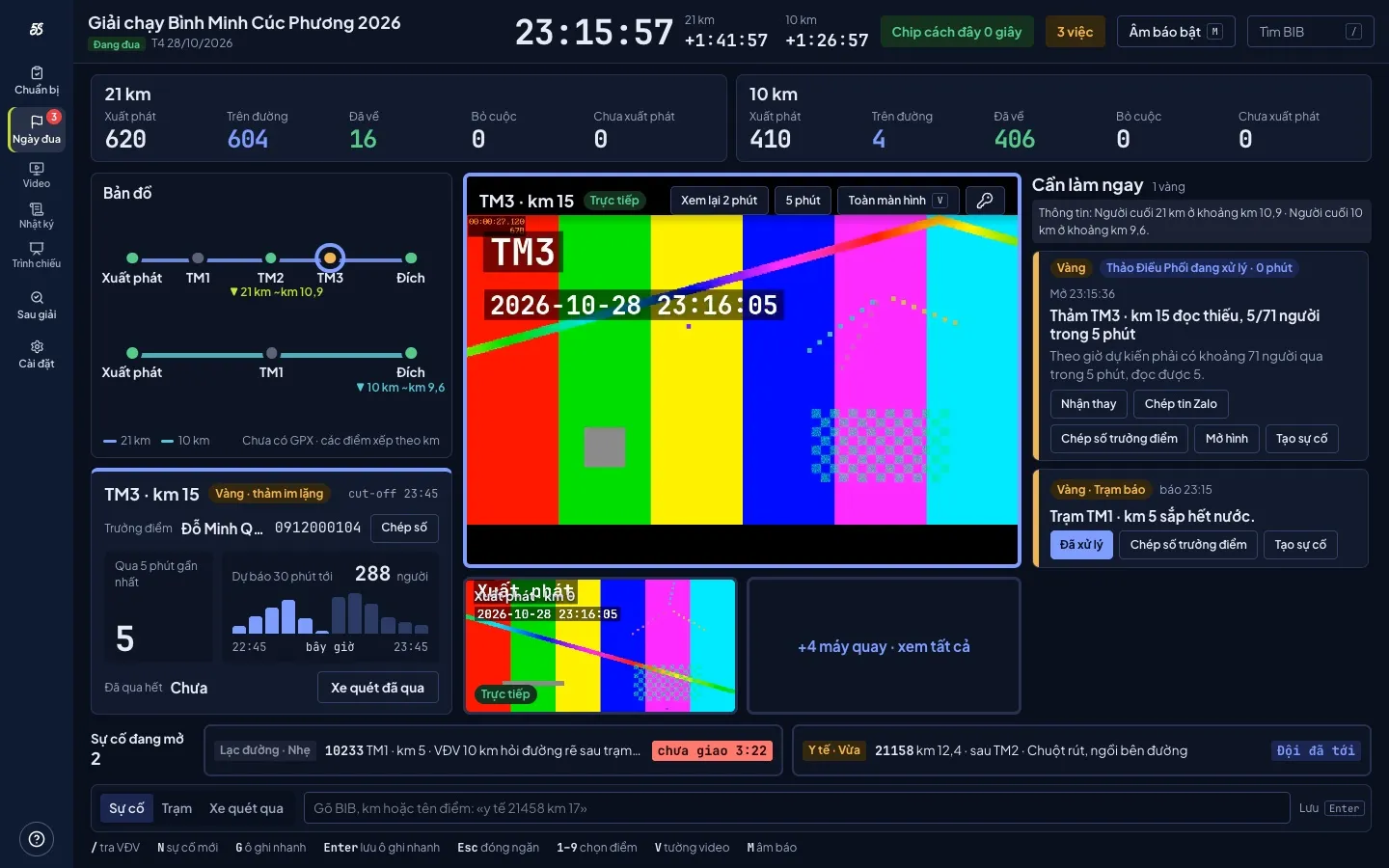
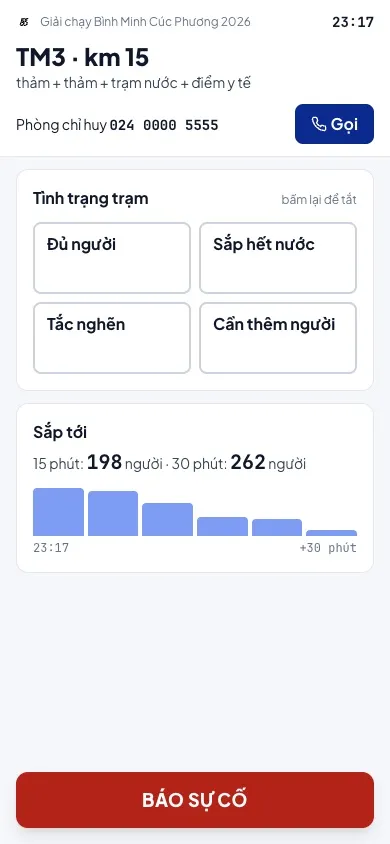
Screens captured on a simulated race, Vietnamese interface; names and phone numbers are fictional.
Three things no operations team wants to hear again
-
“Mat 3 hasn't seen anyone”
Timing mats missed 8 to 29% of reads at the races we measured. Nobody knows whether the mat failed or the course is empty, until someone finishes without a time.
-
“Where is the last runner?”
The radio asks three checkpoints before an answer comes back, and that answer is already five minutes old.
-
“Who handled that incident?”
Called in on the radio, typed into a group chat, then lost. After the race nobody can rebuild what happened at 6:42.
One screen, five jobs
-
Grouped alerts
Ten rules read the chip and video data. Alerts group by mat or course segment and close themselves when data returns to normal; the screen never floods.
-
Silent mats
A mat that reads nobody when people should be passing: alerted within 5 minutes, with a forecast of how many runners are due.
-
Video from phones
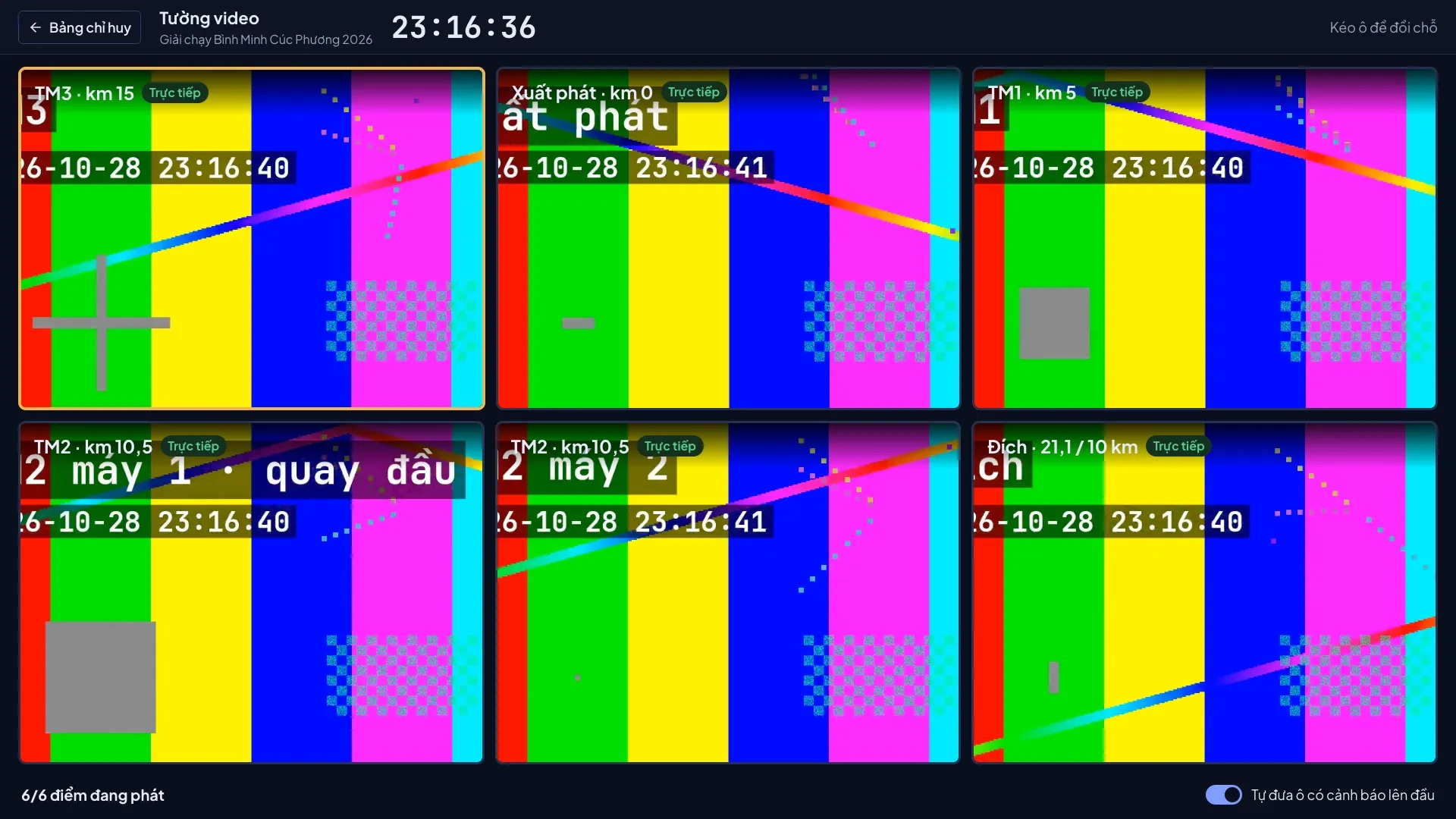
Whoever is at the checkpoint scans a QR code and is streaming to the control room. A six-feed video wall; 30 seconds without picture raises a card.
-
Checkpoint lead link
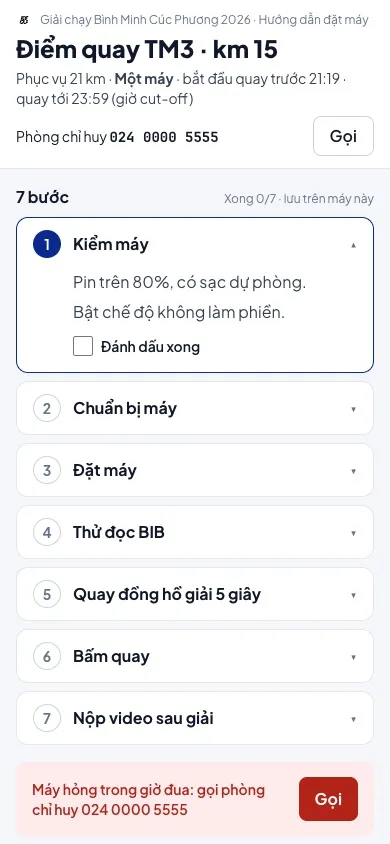
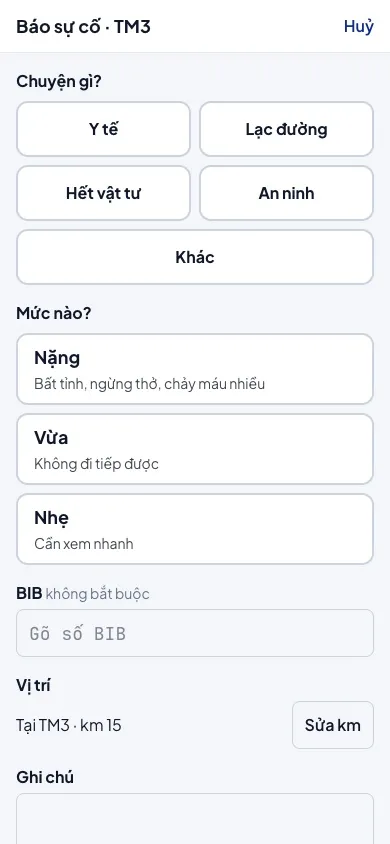
The checkpoint lead opens one link: nothing to install, no account. Buttons work offline and send when signal returns.
-
A log nobody can edit
Every alert, incident, command and tap is time-stamped, never edited, never deleted. After the race, every minute can be rebuilt.
Before, during and after the race
- 01
Preparation
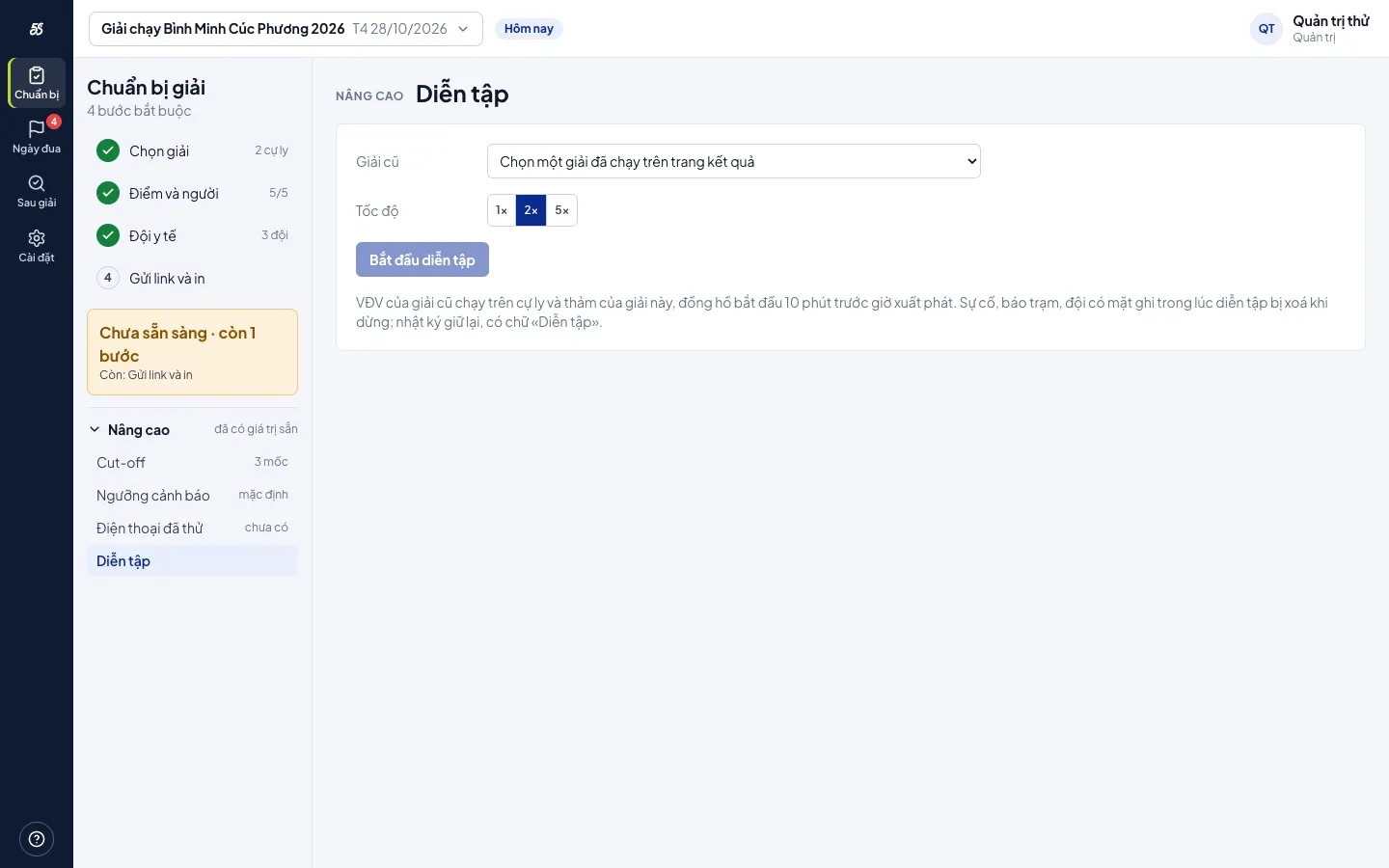
Four steps: checkpoints and people, medical teams, send the links, print A6 backup cards. Rehearse on a past race's data at 1×, 2× or 5× speed.
- 02
Race day
The control board, a wall screen for the whole room, a view-only link for the organizer, runner lookup by bib number.
- 03
After the race
Checkpoint staff upload the video they recorded. Replay the exact minute a runner should have crossed a mat to restore their time, and check awards before publishing.
Video-based time verification and award checks are being finished; the first version runs at the next race.
Used for real
First race: Nomura Samurai Run 2026
The control room worked its first race on 25 October 2026 in Hanoi, with more than 1,500 runners across four distances, connected straight to 5Sport Result timing data. It runs on an ordinary laptop and Android phones at the checkpoints, with no dedicated hardware.
Built for
-
The 5Sport operations team
Used at every race the team runs, as part of the race-day package.
-
Organizers who hire the team
Hiring the operations team includes the control room, with a view-only link so the organizer can follow along.
-
Organizers running their own race day
Use the control room with your own crew; incidents, video and checkpoint links work even when the race is not timed by 5Sport Result.
Control room questions
What does each checkpoint need?
One Android phone with 4G and one person who can scan a QR code. No app to install.
Our race is not timed by 5Sport Result. Can we still use it?
Yes, for incidents, video and checkpoint links. Timing-mat alerts need data from 5Sport Result.
Who can see the checkpoint leads' phone numbers?
Only people in the control room. The organizer's view-only link shows no phone numbers.
What if the control room loses internet?
Checkpoint leads keep tapping on their own links; the phone holds the taps and sends them when signal returns. The control room prints backup contact cards during preparation.
Tell us about your event
In 30 minutes we talk through your event, walk through the real product together, and quote a price for your scale.