VI Book a consultation
The front row in bibs raising their hands behind the START tape at daybreak

Ticketing · 5S SaaS

A ticketing website on your own domain

Tickets, payments, bib numbers, waivers and the race-kit desk run on one system. Buyers only ever see your brand.

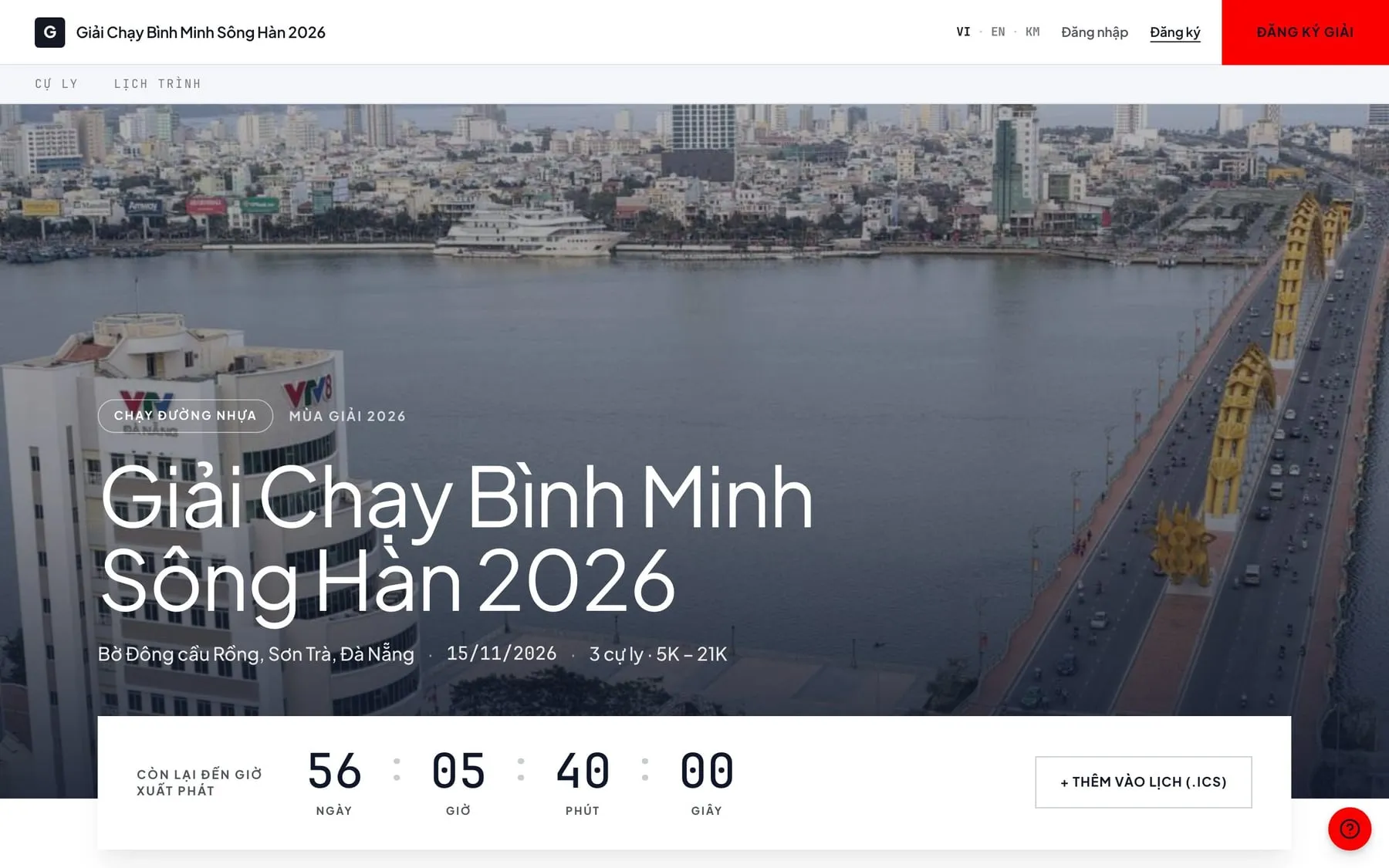
Top of a race ticketing page: cover image, countdown to the start, language switcher

Built for

  • Road and trail race organizers

    Sell by distance, assign bib numbers, collect waivers, hand out race kits.

  • Concert, conference and festival organizers

    Sell tickets by zone and scan QR codes at the gate.

  • Companies running internal events

    Import a list from a file and issue tickets for a whole team at once.

Three ways to sell tickets, and what each costs you

All three sell tickets. The difference is what you still own after the season.

Criteria Marketplace onlyCommission your own website5S
Brand on the ticket page The marketplace's Yours Yours
Contacting buyers again next season Subject to the marketplace's rules Yes Yes
E-commerce website registration with the Ministry of Industry and Trade Done by the marketplace You handle it We guide you
Time to open sales for the first race A few days A few months A few days
Waivers, bib numbers, race-kit desk Usually missing Extra work Built in

Marketplace only

Brand on the ticket page
The marketplace's
Contacting buyers again next season
Subject to the marketplace's rules
E-commerce website registration with the Ministry of Industry and Trade
Done by the marketplace
Time to open sales for the first race
A few days
Waivers, bib numbers, race-kit desk
Usually missing

Commission your own website

Brand on the ticket page
Yours
Contacting buyers again next season
Yes
E-commerce website registration with the Ministry of Industry and Trade
You handle it
Time to open sales for the first race
A few months
Waivers, bib numbers, race-kit desk
Extra work

5S

Brand on the ticket page
Yours
Contacting buyers again next season
Yes
E-commerce website registration with the Ministry of Industry and Trade
We guide you
Time to open sales for the first race
A few days
Waivers, bib numbers, race-kit desk
Built in

Selling tickets on your own domain means you are running an e-commerce website, which in Vietnam must be registered with the Ministry of Industry and Trade. Many organizers only find out once sales have opened. We guide you through the paperwork step by step.

Sell only through a marketplace and the buyers are the marketplace's customers. Next season, inviting people who ran your race means going through the marketplace.

From race setup to race-kit pickup

Every job in a race, in the order you do it.

  1. 01

    Create the race

    Set up the race once: distances, ticket types, price tiers and when prices change. The registration form asks exactly what you need, with custom fields. The race home page is arranged by drag and drop.

    Just point your own domain at 5S. The SSL certificate is issued automatically.

    Film: Race setup 32 sec
  2. 02

    Open sales

    Three kinds of discount codes: a shared code for a fixed amount; a shared code for a percentage, with a maximum discount; and bulk single-use codes. Automatic multi-ticket discounts can be switched on too.

    Online-payment orders hold their spot for 15 minutes. Bank-transfer orders are held for 24 hours until you confirm. When time runs out, the spot goes back on sale automatically.

    Orders paid with the wrong amount are not cancelled automatically. They move to a review list, because the buyer has already paid.

    Film: Order management 33 sec
  3. 03

    Before race day

    Participants sign the liability waiver online. The system records not just who signed but the exact text each person read, with the time of signing, IP address, a hash proving the text was not altered, and a PDF copy. Every ticket signs through its own link. When you need to check, you know exactly what each person agreed to, and when.

    Participants under 18 on race day are signed for by a guardian. If you later edit the waiver template, signed copies stay unchanged.

    Bib numbers come from each ticket type's own range: sequential, random, or assigned at the desk. You can open a wheel so participants spin and lock in their own number. Special numbers reserved for sponsors are never assigned automatically.

    Participants registered through other channels, such as corporate teams or sponsors, are imported from a file and keep their existing bib numbers. They don't count against tickets on sale.

    Film: Signing the waiver 33 sec
  4. 04

    Race-kit pickup day

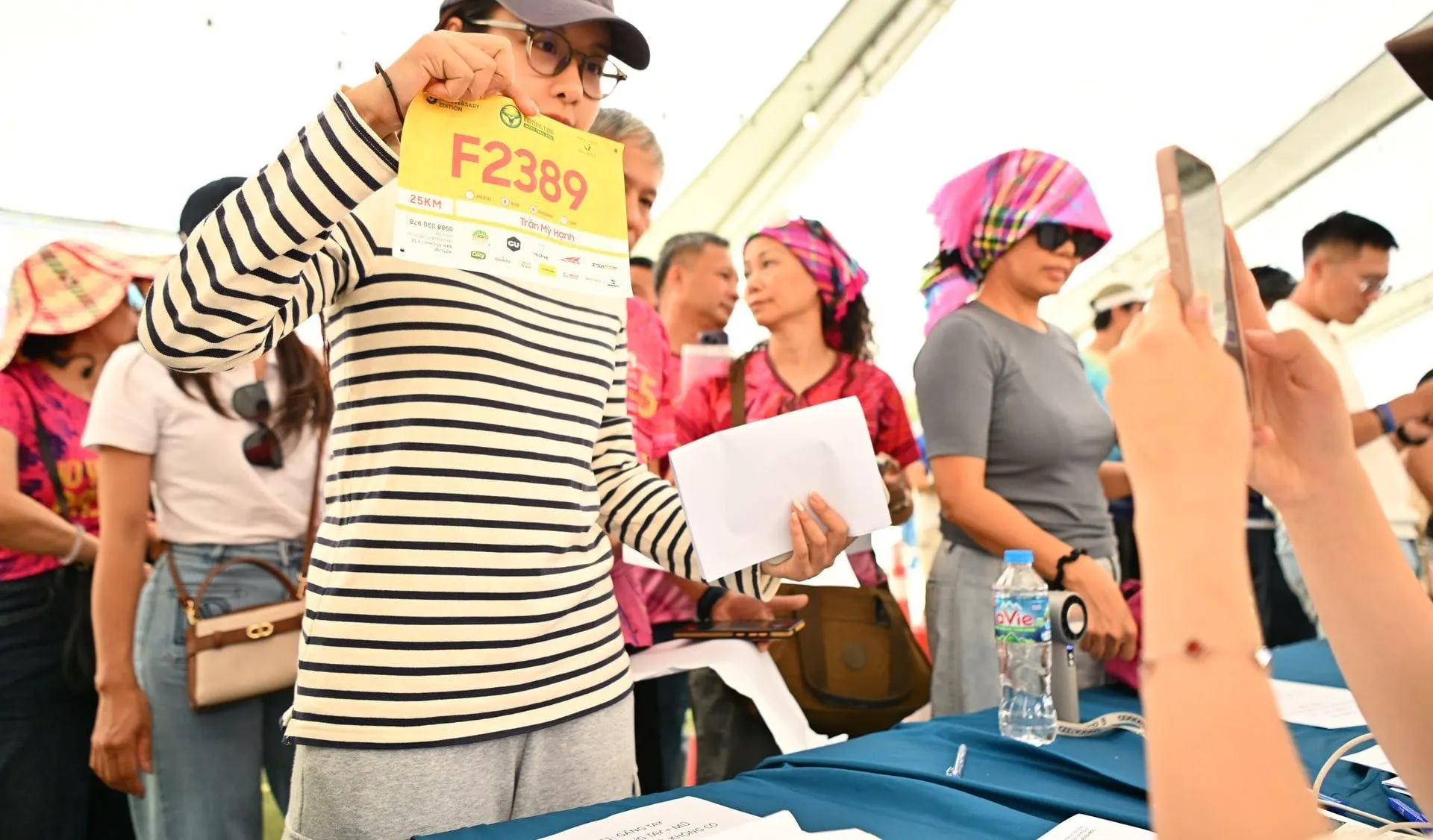
    The race-kit desk scans the QR code, or searches by ticket code, ID number, bib number or proxy details. Staff take a confirmation photo right at the desk. Staff can override a warning, but the system always records who did.

    Every change to a ticket leaves a log: who changed what, and when.

    Film: Race-kit desk 37 sec

See each job for yourself

Ten short films built on the software's actual interface (in Vietnamese). Pick the job you want to see.

What organizers do in the admin console

  • Domain and branding

    Your own domain, logo, cover image and race colors. We handle the SSL certificate.

  • Price tiers and promotions

    Each tier has its own price, quantity, opening and closing time. One discount per order, and the system applies the larger one.

  • Registration form

    17 built-in fields you can switch on, make required, or extend with your own.

  • Bib numbers

    Assigned automatically, picked by participants, or set at the desk. Reserve special numbers for guests.

  • One participant list

    Online buyers, file imports and manual entries share one table. Export to Excel with the filters you are viewing.

  • Daily reports

    Revenue, tickets sold, waivers signed, race kits handed out, and a 30-day chart.

  • Roles with an audit log

    Everyone gets a role. Desk staff only see the desk screen, never the revenue.

  • Vietnamese and English

    The interface is ready in both. Organizers translate race names, distances and descriptions themselves.

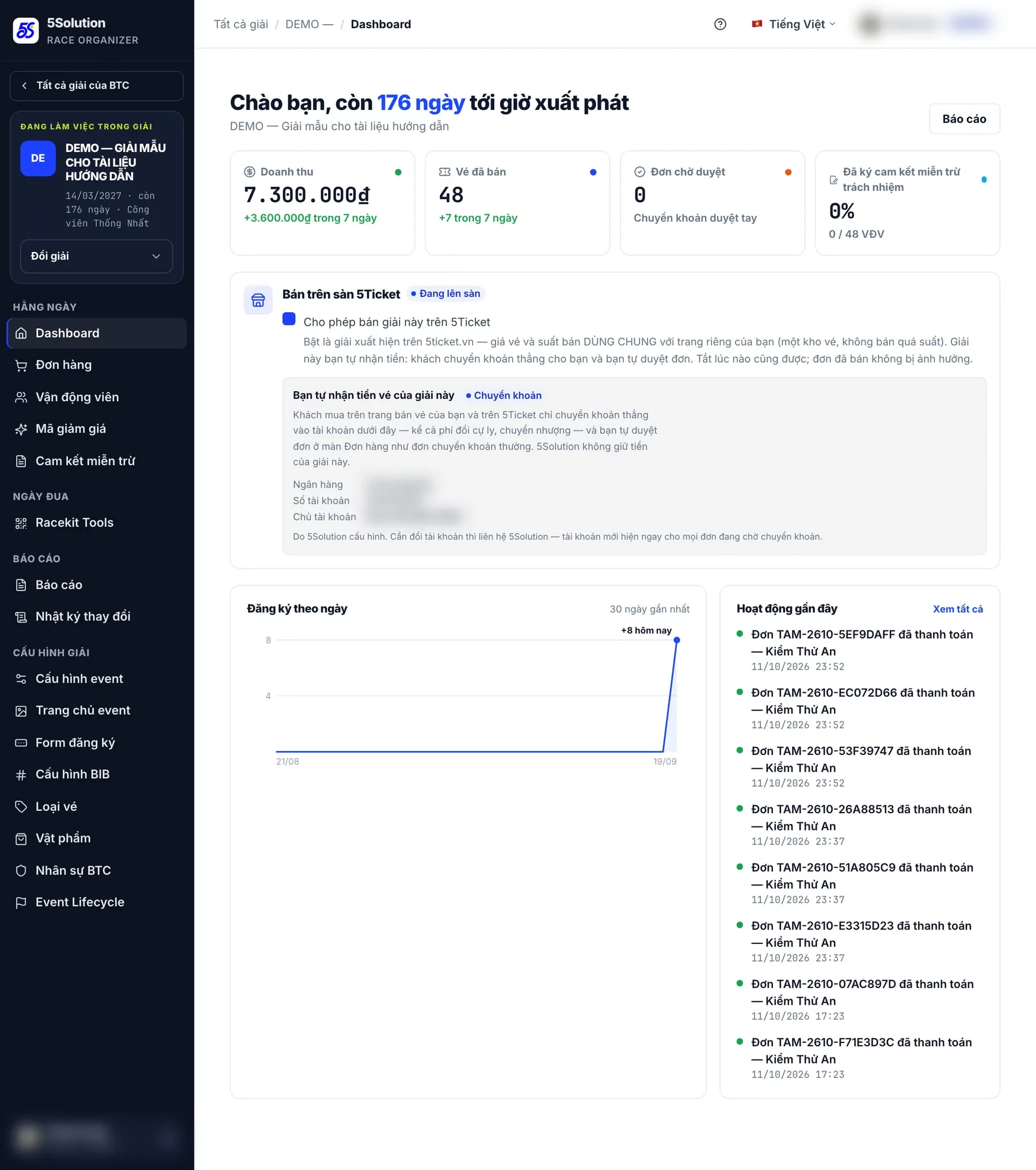
Race dashboard
Race dashboard: revenue, tickets sold, waivers signed, 30-day chart.
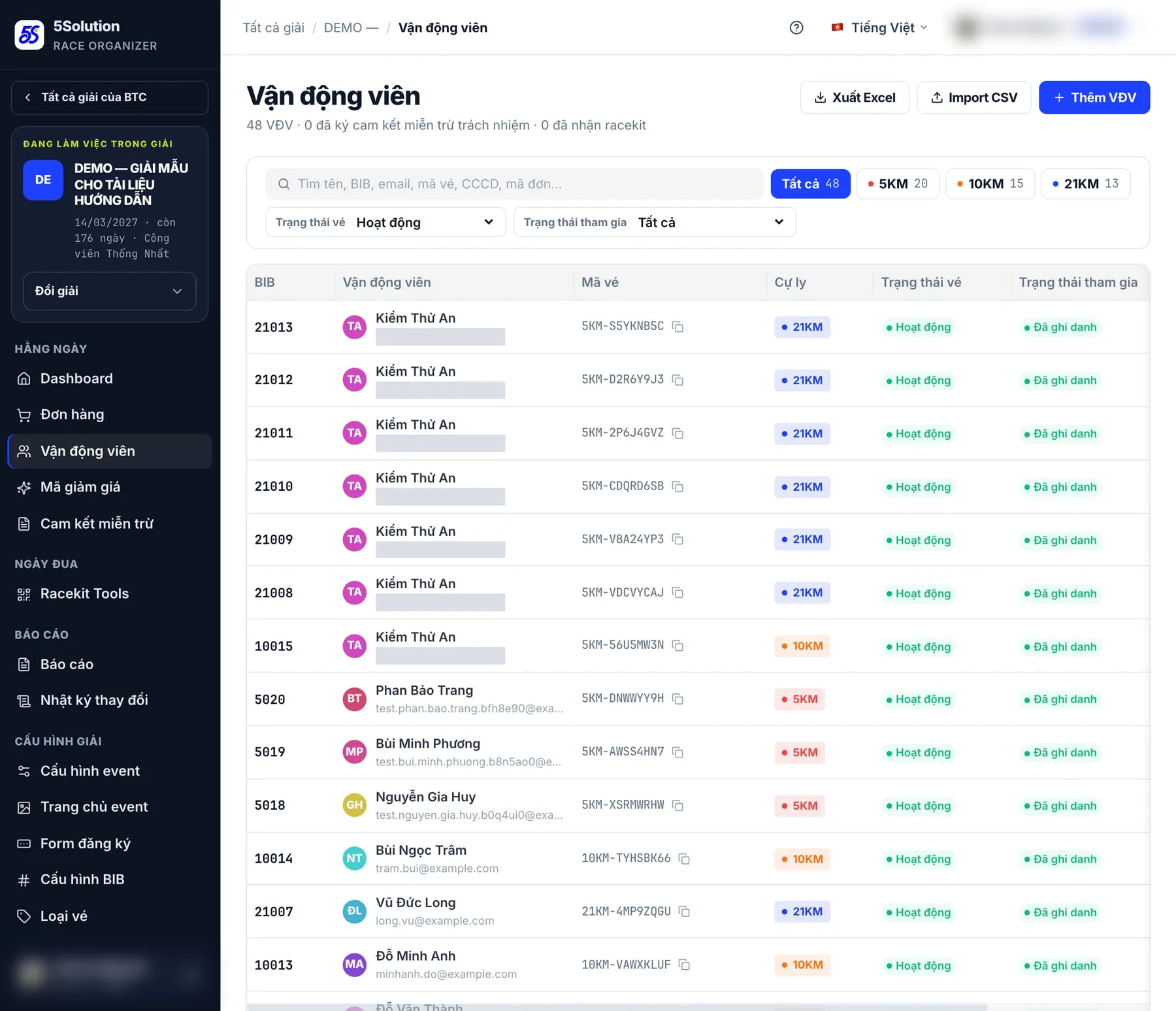
Participant list
One list for online buyers, file imports and manual entries.

Concerts · conferences · festivals

Ticketed events

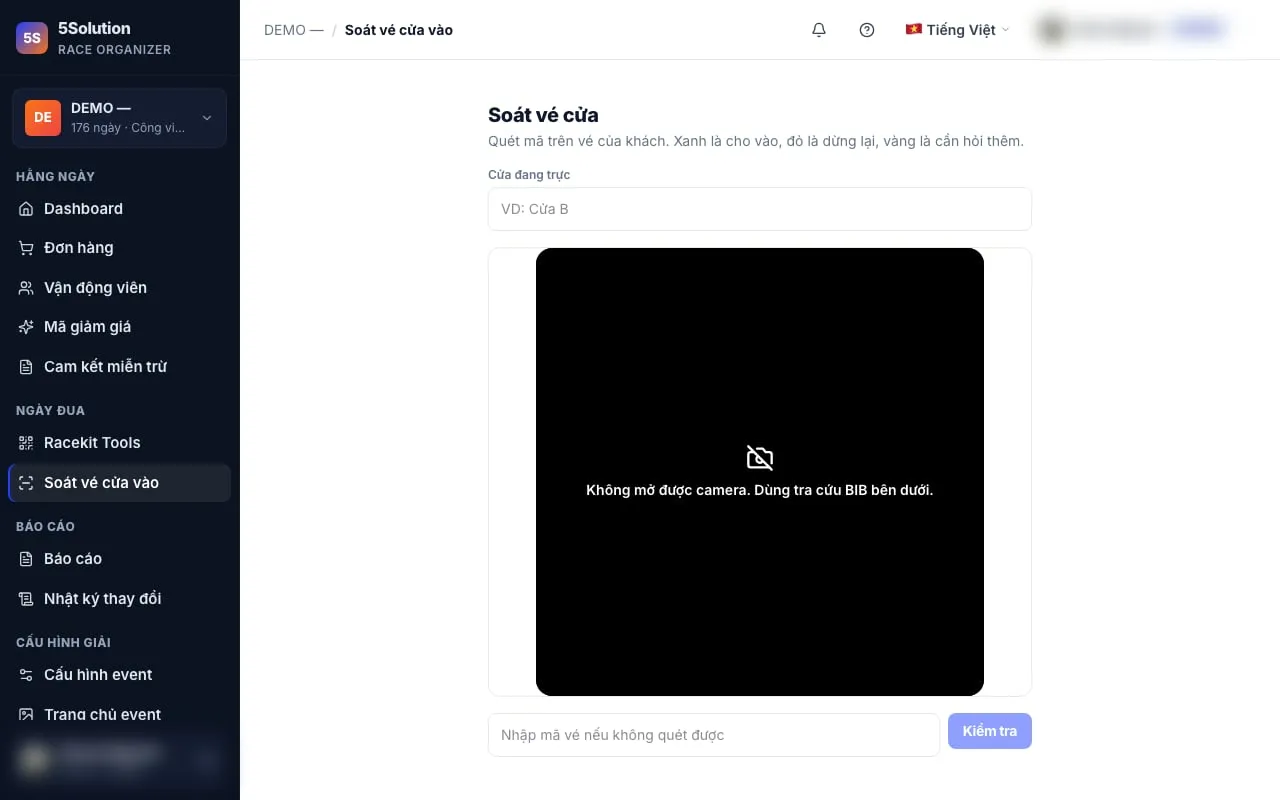
Sell admission to concerts, conferences or corporate events: split tickets into zones, each with its own price and quantity, and each zone closes when it sells out. Buyers get a QR code as soon as payment is confirmed, and on the day your staff scan it at the gate with the same check-in tool used for races.

Each zone has its own price, buyers pick quantities right in the list.
Gate check-in screen
Check-in screen: scan attendees' QR codes at the gate.

Proven on race day

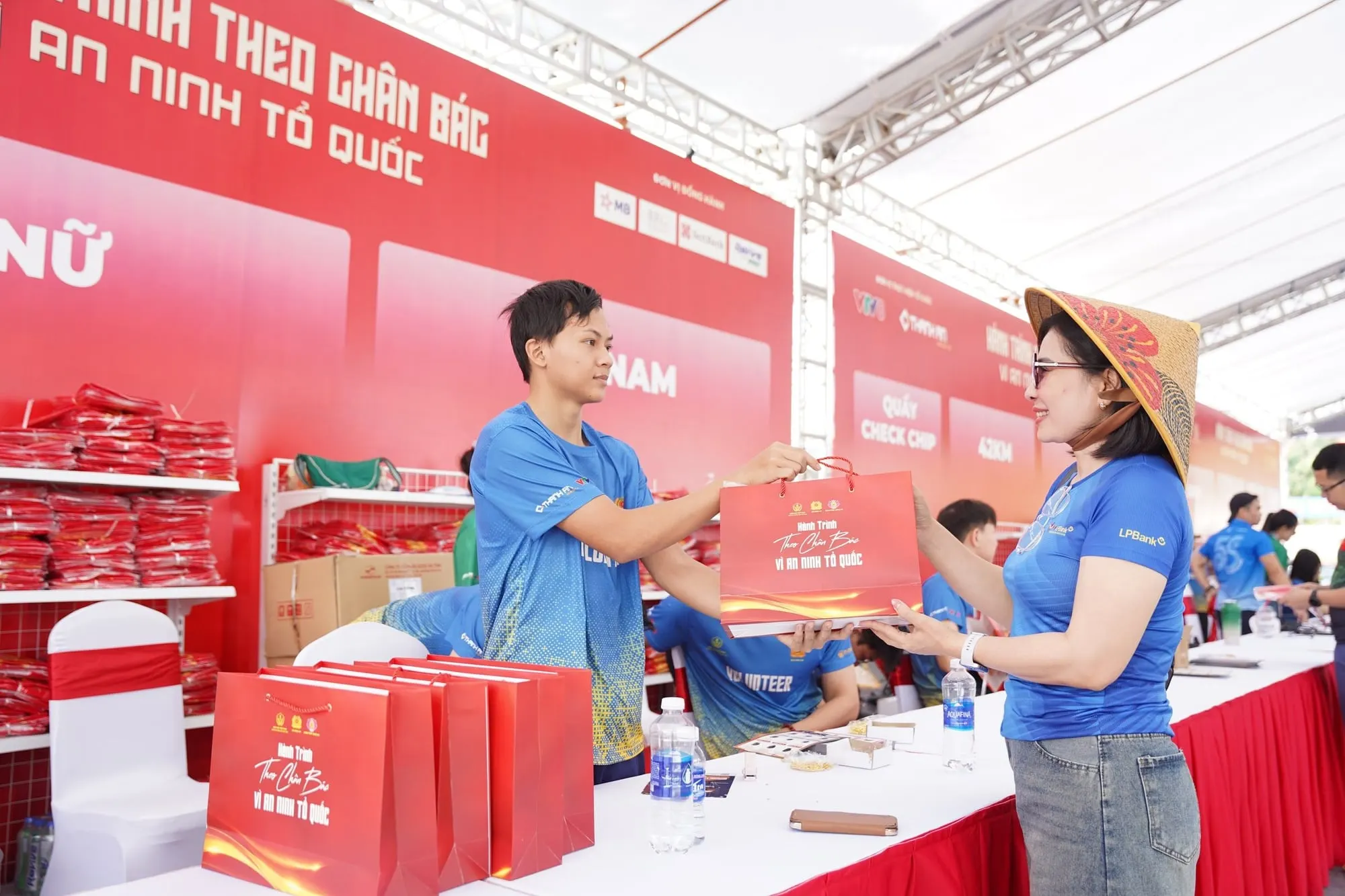
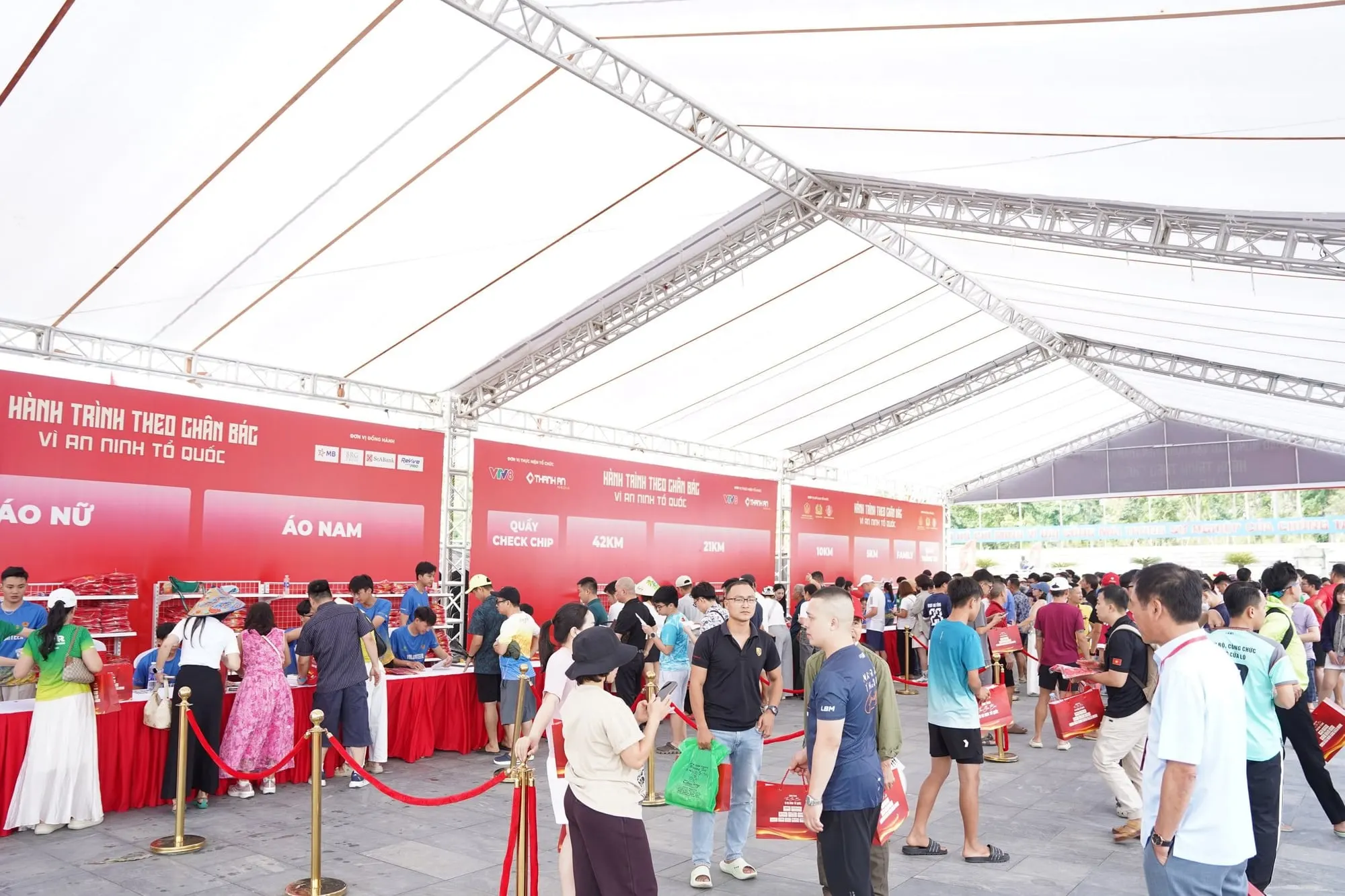
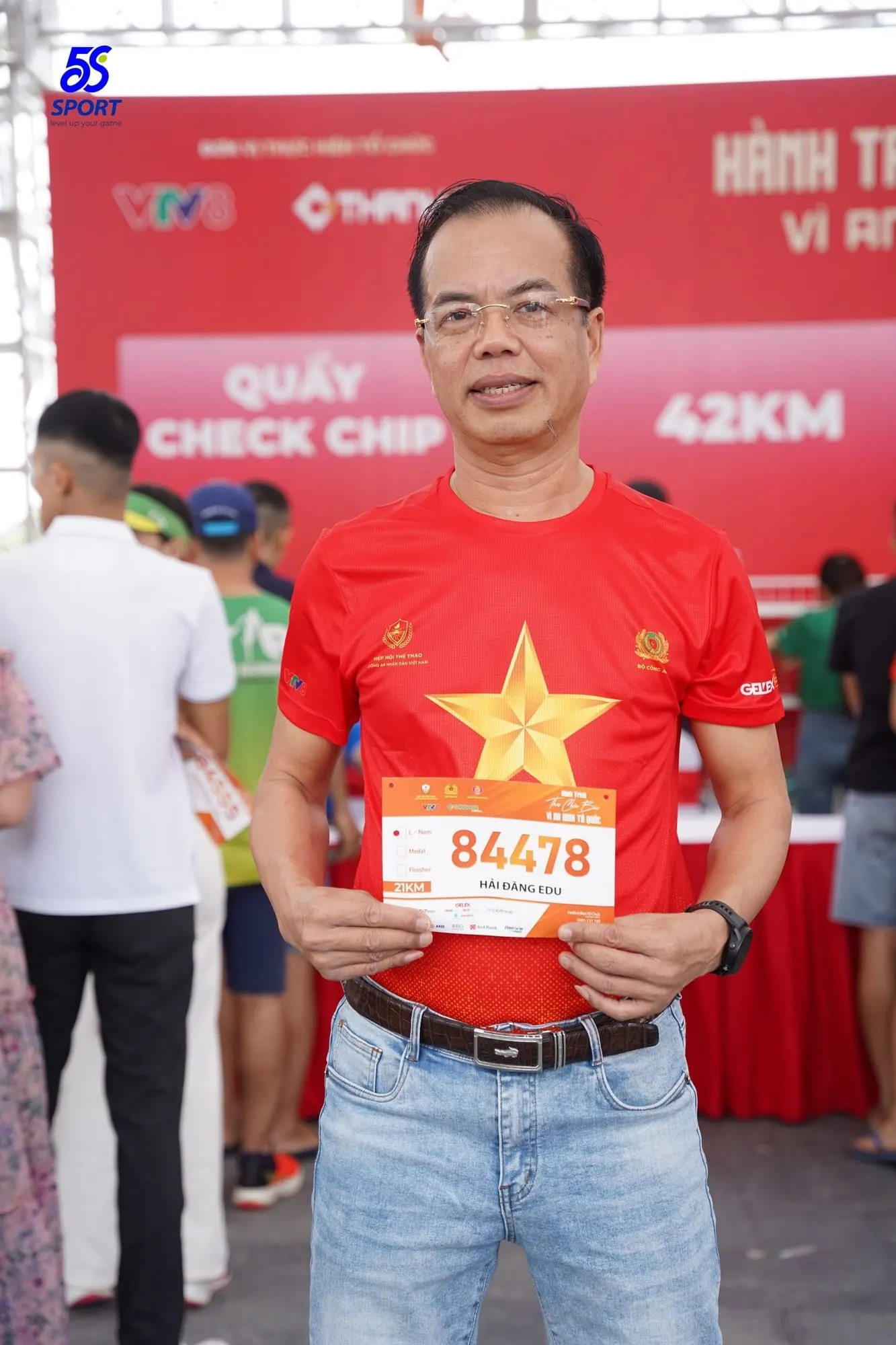
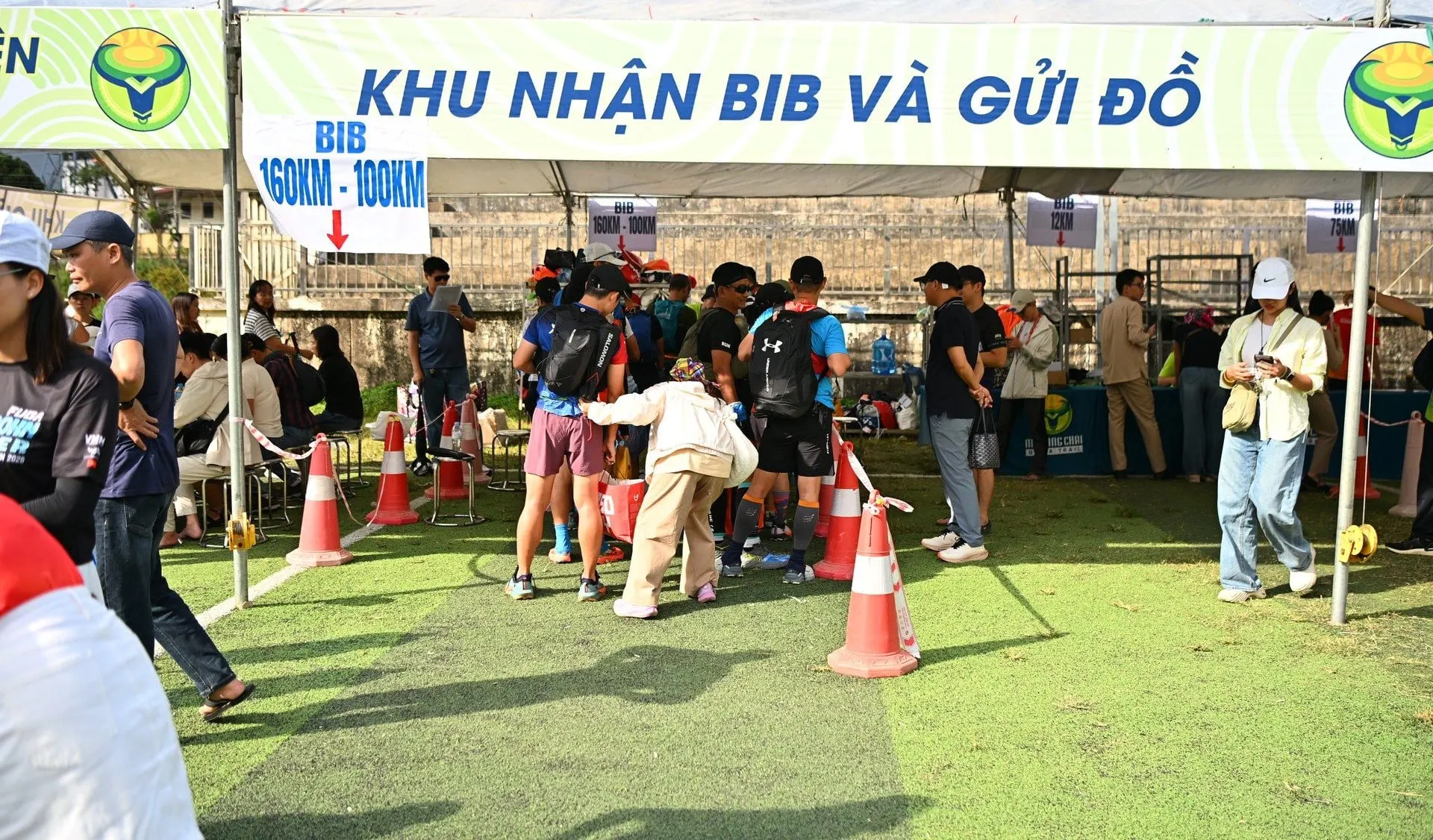
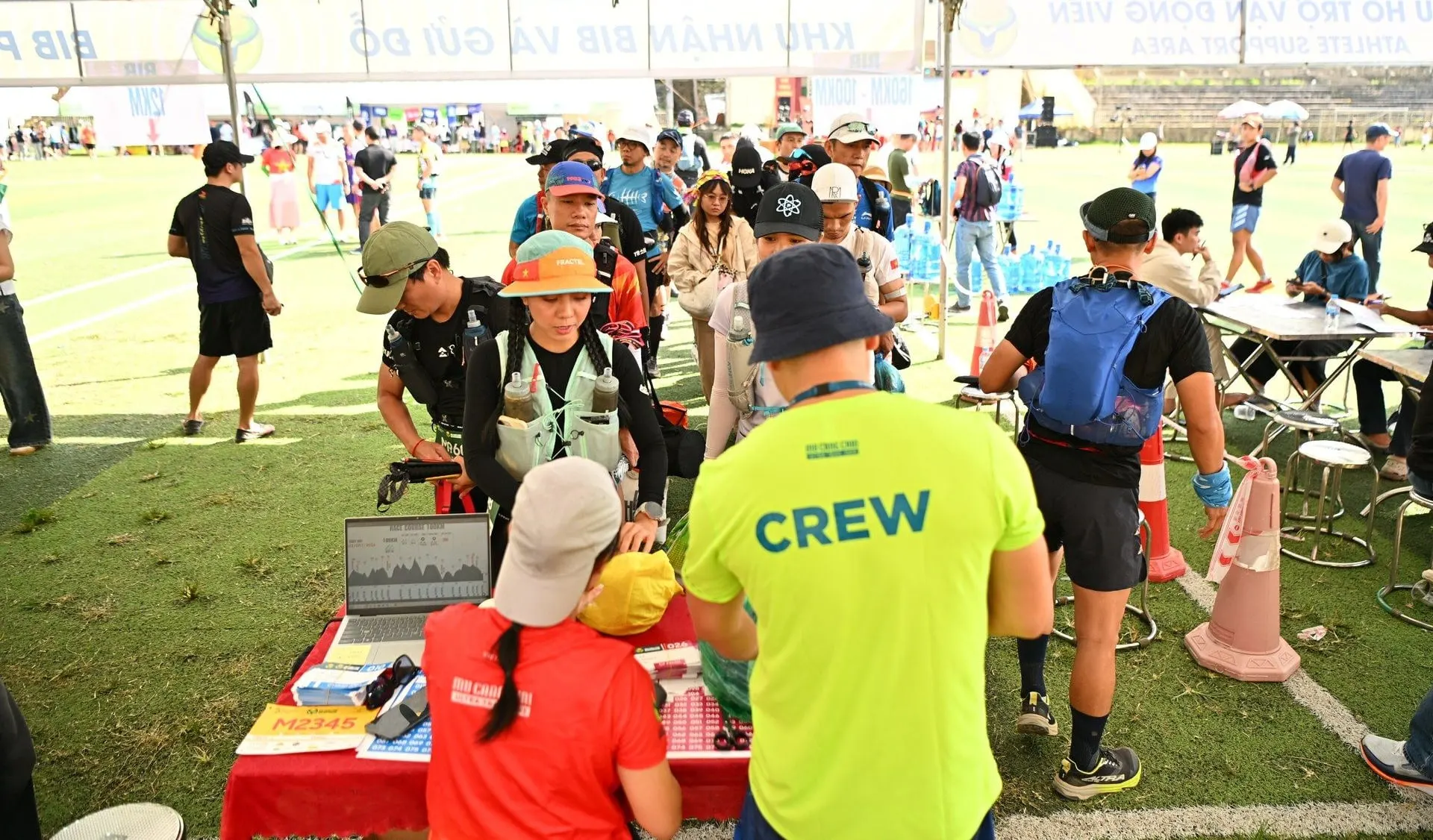
Ticketing, bib pickup and race kits at real races

Tickets sold on 5S SaaS; on pickup day, QR codes are scanned and checked right at the desk.

Where ticket money goes

There are three ways to collect, depending on the channel and your choice.

Your website, you collect

Who collectsYour own payment gateway. Money goes straight to your account

How buyers payOnline or bank transfer, whichever you enable

Your website, 5S collects

Who collects5S payment gateway. Reconciled and paid out to you under the contract

How buyers payAs above. The ticket page still carries your brand

5Ticket marketplace

Who collectsAlways collected by 5S

How buyers payVietQR or card. No manual bank transfers

Six of the seven organizers on 5S collect themselves. The payment gateway is theirs, and the money never passes through us.

For marketplace orders, the service fee is locked in when the order is created. If the rate changes later, existing orders are not recalculated.

Service fees are agreed with each organizer individually, charged on actual transactions, nothing upfront.

Talk about pricing

Ticketing questions

How are refund requests handled?

Each refund request creates its own ticket, recording who handled it and based on the amount actually received. Refund transfers are made by your staff, not automatically through the payment gateway.

We run conferences, not races. Can we use it?

Yes. Ticketing and check-in are shared. You simply don't need distances, bib numbers or the race-kit desk.

Do buyers need an account?

Not to buy. Buyers sign in when they want to open «My tickets» to edit details, change distance or transfer a ticket.

What happens if we run out of bib numbers?

Sales keep going. The screen shows who is missing a number and offers a button to assign more.

Tell us about your event

In 30 minutes we talk through your event, walk through the real product together, and quote a price for your scale.

Planned date
Expected participants
You are interested in (choose any)

Or email us directly: info@5solution.vn